Keep the members already on your biometric reader: no re-enrolment
Already running a fingerprint or face reader at your gym, with members enrolled on it? Connect it to CoachFit and keep every one of them: their User ID and their finger stay. CoachFit puts the reader on hold, lists the people on it, suggests the member for each, and only after you link them and press Start does it send each member their name and expiry. Nobody enrols again, and nothing is ever deleted from the reader.
In this video
Adding a reader that already has members enrolled, and keeping them
On hold: CoachFit changes nothing on the reader
People on this reader: User IDs, names and fingers, as the reader lists them
Linking all suggestions in one click
Linking somebody by hand with the member search
Starting the reader, with new members numbered above the old ones
An old finger opening the door as the right member
The Reader User ID column in the member import, and why Re-sync never deletes a finger
Connect a fingerprint or face reader at your gym door from the CoachFit web app. Register it with its serial number, point it at CoachFit, and it goes online, takes your members, enrols fingers from the web, checks members in by itself, and keeps out anyone whose plan has ended.
Everything in Biometric settings on the CoachFit web app: what each reader's status means, entry and exit readers, switching a reader off, enrolling a member at the right reader, a member a reader turned down, fingerprints enrolled on the keypad, and Re-sync, Empty, Remove and Delete all.
Let members check in from their phone, but only when they are really at your gym. Every attendance setting on the CoachFit web app: the allowed distance, each branch's location, the desk code, check-ins after a plan ends, the reader lock-out, once a day, grace days and streaks, then a member trying from home and again at the gym.
Know who is in your gym right now. The CoachFit web app shows who came in today and who did not, finds anyone by name, filters check-ins by the time of day, counts down each member's workout time, and exports the register as a spreadsheet.
Every way to take attendance at your gym with the CoachFit web app: mark members in at the desk, one or several at once, check them out, fix a past day, export the register, and let members check themselves in from their phone, at the gym, with a code that changes every thirty seconds.
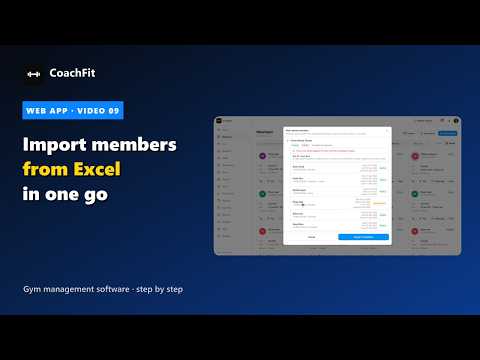
Moving from a register or another app? Download your gym's own template, fill in your members, and upload it. CoachFit checks every row before anything is saved, flags mistakes, and imports the rest with their plans, dates and dues.
 4:29